---
title: How Do I Add a Widget to my Dashboard?
description: Share point in time insights with your groups or stakeholders.
---
[Skip to content](https://knowledge.actionable.co/en/add-widget#main-content)
English
Show submenu for translations

Open main navigation
Close main navigation
- English
Show submenu for translations
Hello. How can we help you?
- There are no suggestions because the search field is empty.
1. [Actionable Knowledge Base](https://knowledge.actionable.co/en)
2. [Reports](https://knowledge.actionable.co/en/reports)
# How Do I Add a Widget to my Dashboard?
## Depending on your license, you'll be able to add new widgets to your custom dashboards to tell the right story, and align to your client's culture and brand.
*You'll have some or all of these options available to help tailor both the data and insights you include in your report, and the way you present them. You'll need to make sure you working in a custom report in "My Dashboards", and not an Actionable Preset. (Learn about [copying Presets here](https://knowledge.actionable.co/en/how-do-i-make-changes-to-a-preset-dashboard)).*
***Quick Links:***
- [Choose From the Widget Library](https://knowledge.actionable.co/en/add-widget#widget-library)
- [Create a New Widget](https://knowledge.actionable.co/en/add-widget#create-new-widget)
*For details on how to edit existing widgets, check out this article instead:* [How Do I Edit a Widget on my Dashboard](https://knowledge.actionable.co/en/edit-widget)
### **Choose From the Widget Library**
*We have created a library of commonly used widgets that you can just drag and drop onto any custom dashboards in "My Dashboards."*
Steps:
1. Open your dashboard or report
2. Click "Add Widget"
3. Make sure you're on the Widget Library tab
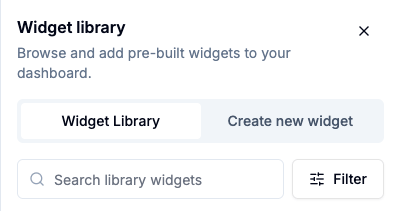
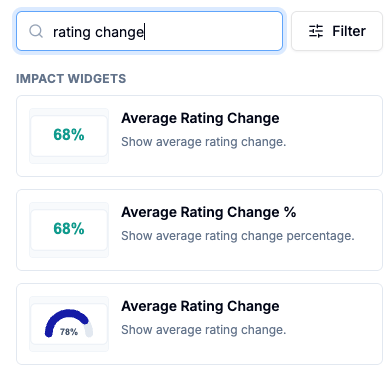
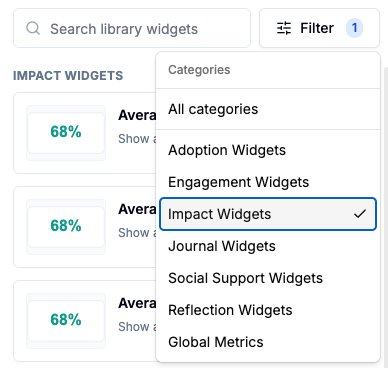
4. Choose the widget you want. There are three ways to find a widget:
1. Scroll through the whole list
2. Search for key words
3. Choose a filter category
5. Hover over the desired widget. Click to grab and drag it onto your dashboard.
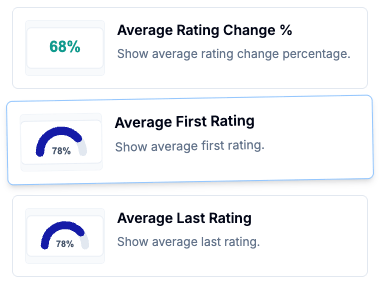
6. **Make sure** to click Save Changes to save it in your dashboard.

**Video Walkthrough of the Widget Library**
If you want to make changes to your chosen widget, like colors and label sizes, see [How Do I Edit a Widget on my Dashboard](https://knowledge.actionable.co/en/edit-widget)
### **Create a New Widget**
1. Open your dashboard or report.
2. Click "Add Widget."

3. Select the "Create new widget" tab.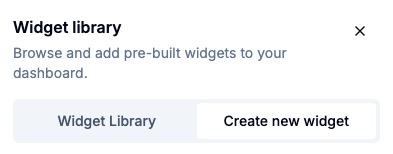
4. Hover over the chart type you want (you can always change this later) and drag and drop the widget onto your dashboard.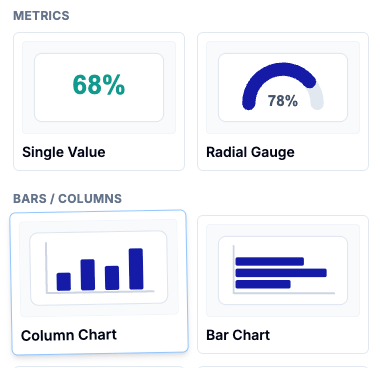
5. The widget editor will open. Add a title for the widget.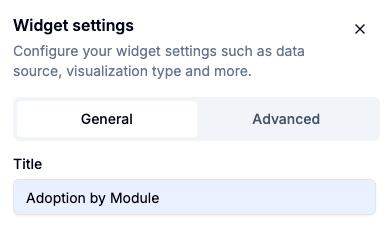
6. Select "Add a measure."

7. Choose the desired measure by searching or scrolling the list.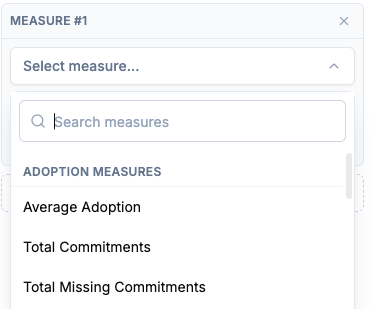
8. Choose a breakdown category, if needed.
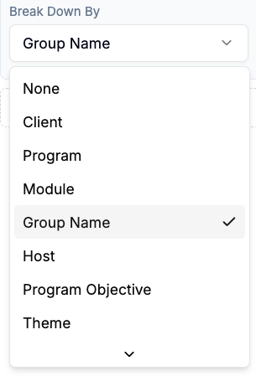
9. Choose an additional breakdown category (optional)

10. Change the color if relevant.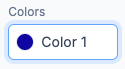
11. **Make sure to click** *Save Changes* to add changes to your dashboard.

**Video Walkthrough of Creating a New Widget**
To make more changes to your created widget (colors, label sizes, widget-level filters, etc) see [How Do I Edit a Widget on my Dashboard](https://knowledge.actionable.co/en/edit-widget)
- [For Participants](https://knowledge.actionable.co/en/for-participants#main-content)
- [Accountability Buddies](https://knowledge.actionable.co/en/for-participants#accountability-buddies)
- [Commitment Management](https://knowledge.actionable.co/en/for-participants#commitment-management)
- [Leader-led Conversations](https://knowledge.actionable.co/en/for-participants#leader-led-conversations)
- [Platform Set Up](https://knowledge.actionable.co/en/platform-set-up#main-content)
- [Program Set Up](https://knowledge.actionable.co/en/platform-set-up#program-set-up)
- [User Roles](https://knowledge.actionable.co/en/platform-set-up#user-roles)
- [FAQ](https://knowledge.actionable.co/en/platform-set-up#faq)
- [Supporting Participants](https://knowledge.actionable.co/en/supporting-participants#main-content)
- [Commitment Management](https://knowledge.actionable.co/en/supporting-participants#commitment-management)
- [Hosts and Managers](https://knowledge.actionable.co/en/supporting-participants#hosts-and-managers)
- [For Actionable Partners](https://knowledge.actionable.co/en/for-actionable-partners#main-content)
- [Billing](https://knowledge.actionable.co/en/for-actionable-partners#billing)
- [Reports](https://knowledge.actionable.co/en/reports)
- [Platform Access & Security](https://knowledge.actionable.co/en/platform-access-security#main-content)
- [System Requirements](https://knowledge.actionable.co/en/platform-access-security#system-requirements)
[](http://actionable.co)
Need more help? Reach out to us at help@actionable.co!
Copyright © 2025, Actionable