You can make these changes anytime, and update just as you export them to pdf reducing the number of versions of a dashboard you need to keep.
Steps:
- Navigate to “My Dashboards.” (If you haven't saved a copy of a Preset Dashboard yet, you can learn how to do that here).
- Click to open the custom dashboard you’d like to edit.
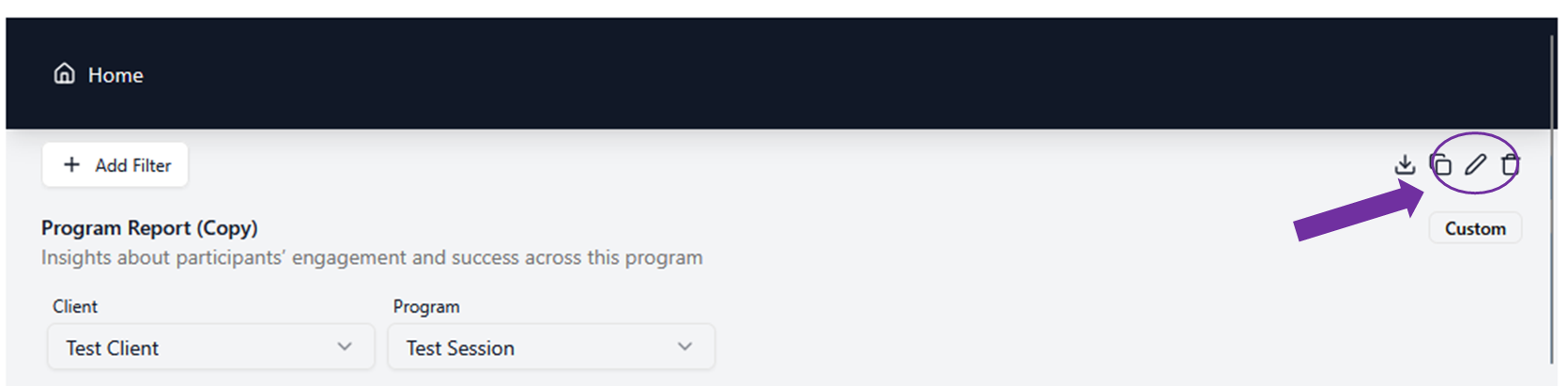
- Look for the options icons at the top of your dashboard screen.
- Click on the “edit” icon.
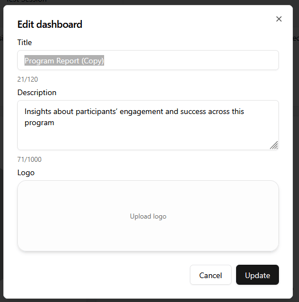
- Enter in your new Title and Description (Optional: upload your own logo or your client's logo as an image file).
- Click “Update.”