
<img height="1" width="1" style="display:none;" alt="" src="https://px.ads.linkedin.com/collect/?pid=3998860&amp;fmt=gif">
Skip to content
English
  • There are no suggestions because the search field is empty.

How do I Access Question Responses?

Question Response data can be found on the Preset Question Report

Accessing Question Responses:

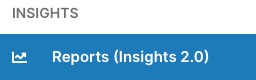
  1. Navigate to the Reports section by clicking Reports (Insights 2.0) on the lefthand navigation bar
  2. In the Presets section, choose Question Report
  3. Populate the filters
     
  4. A separate widget will show for each Question Stage (prep, session, commitment, reflection)
