
Before You Begin
To move a commitment you need:
-
Access to the Module’s Participants tab
- To know which Session the Commitment(s) are located, and which Session you'll be moving them to. Must be within the same Module.
Move a Commitment to Another Session
Once you’ve confirmed the current and target Sessions are in the same Module, follow these steps.
- Go to the Module that contains the commitment you want to move.
- Click the Participants tab.
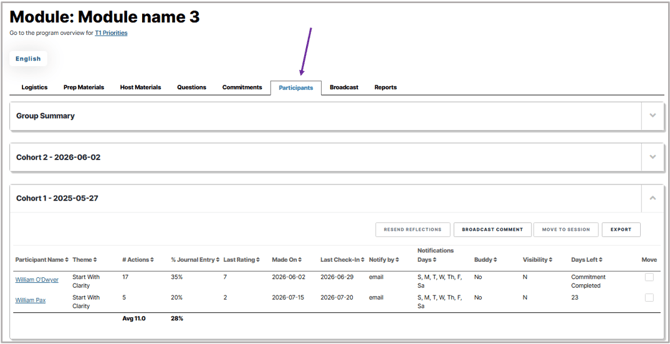
- Open the Session that currently holds the commitment.
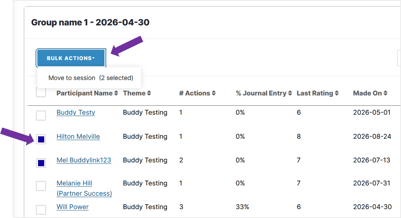
- Select one or as many commitments as you need to move
- Click Bulk Actions, then select Move to Session.
- In the pop-up, select the target session from the drop-down.
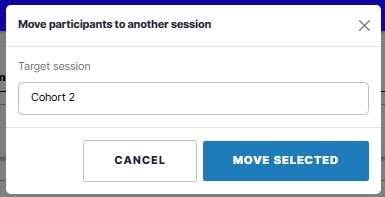
- Click Move Selected, then refresh the page to see the updated Participant list in each Session.
Note: This works for commitments that are active or have already ended.
Moving Commitments Across Modules
The Move Commitment feature only works within the same Module. If you need to move a Commitment to a Session that lives in a different Module, the Module content must be the same (i.e.Commitment Themes, Questions etc).
-
If it is the same content, contact help@actionable.co and our team can help you move it.
-
If it isn't the same, you can delete the commitment and have your participant create a new commitment in the correct session.